Where are your passwords?
C:\
With Keyora, the answer is short: on your own computer, in this file. Your entries are encrypted, and only the master password you know can open them. No cloud, no account, no subscription; Keyora never connects to the internet.
Version 1.2.1, for Windows 10 (1809) and 11, 64-bit. Free and MIT-licensed. No administrator rights needed to install. The app interface is in Turkish.
Everything you expect from a password manager. Except the cloud.
A simple, keyboard-friendly interface. The screens below come from a test vault filled with made-up entries.
-
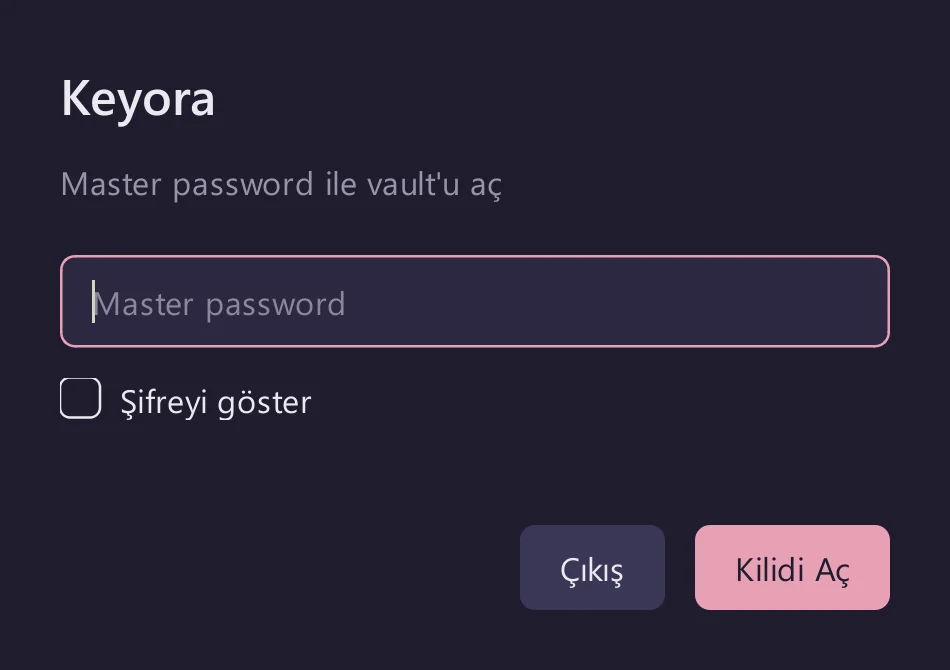
Unlock your vault
Only your master password opens the vault. After 3 wrong attempts, the wait grows with each try (up to 5 minutes); restarting the app doesn't reset it.
-
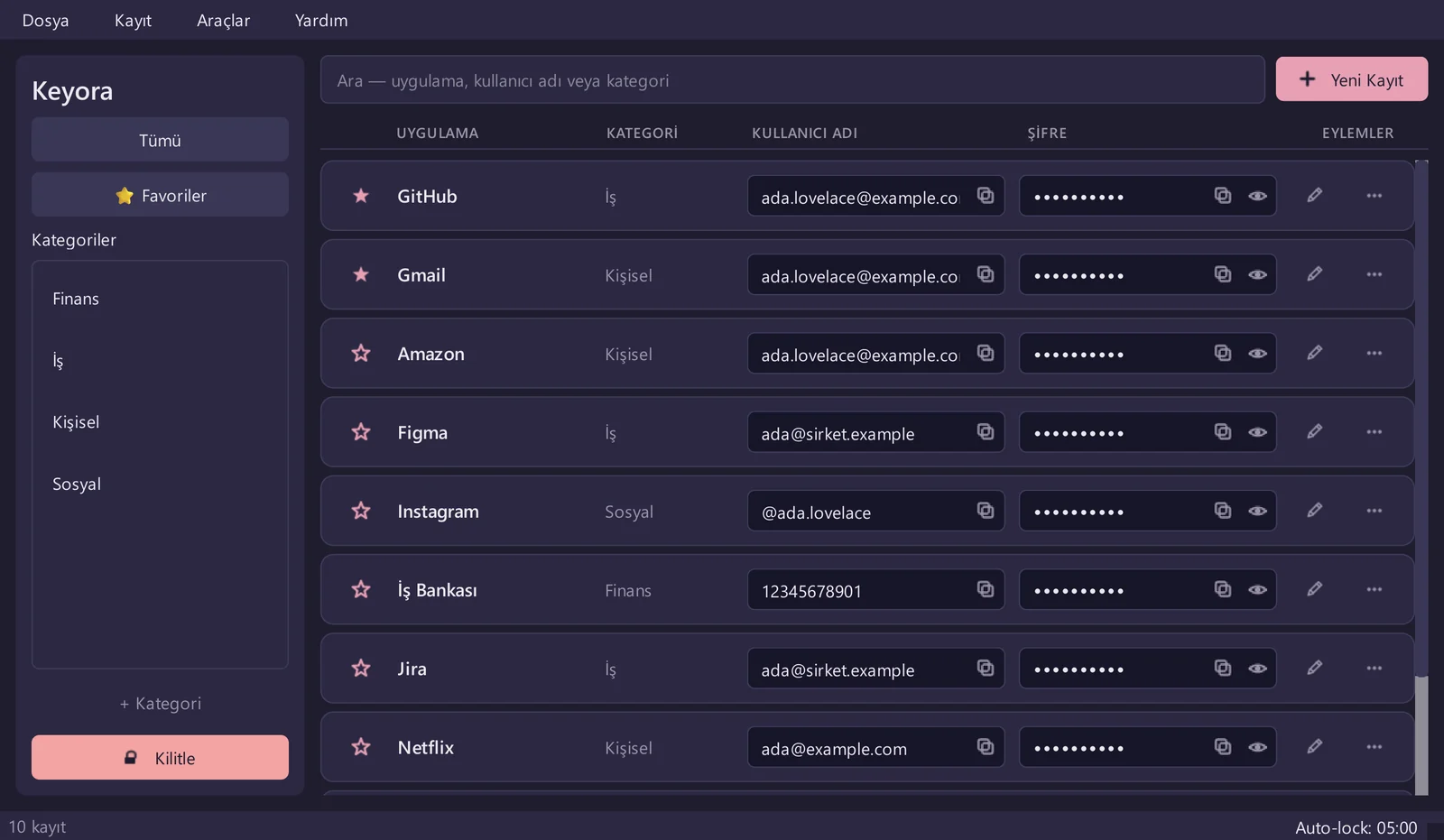
Find what you need
Search by app name, username or category; the list filters as you type. Passwords are masked in the list, and the eye icon shows one for 10 seconds.
-
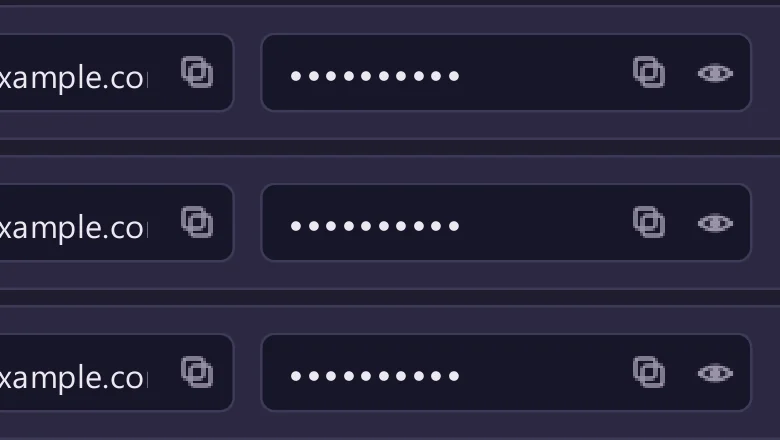
Copy with one click
Copy a username or password. Whatever you copy is wiped from the clipboard after 20 seconds and never lands in Win+V history or cloud clipboard.
-
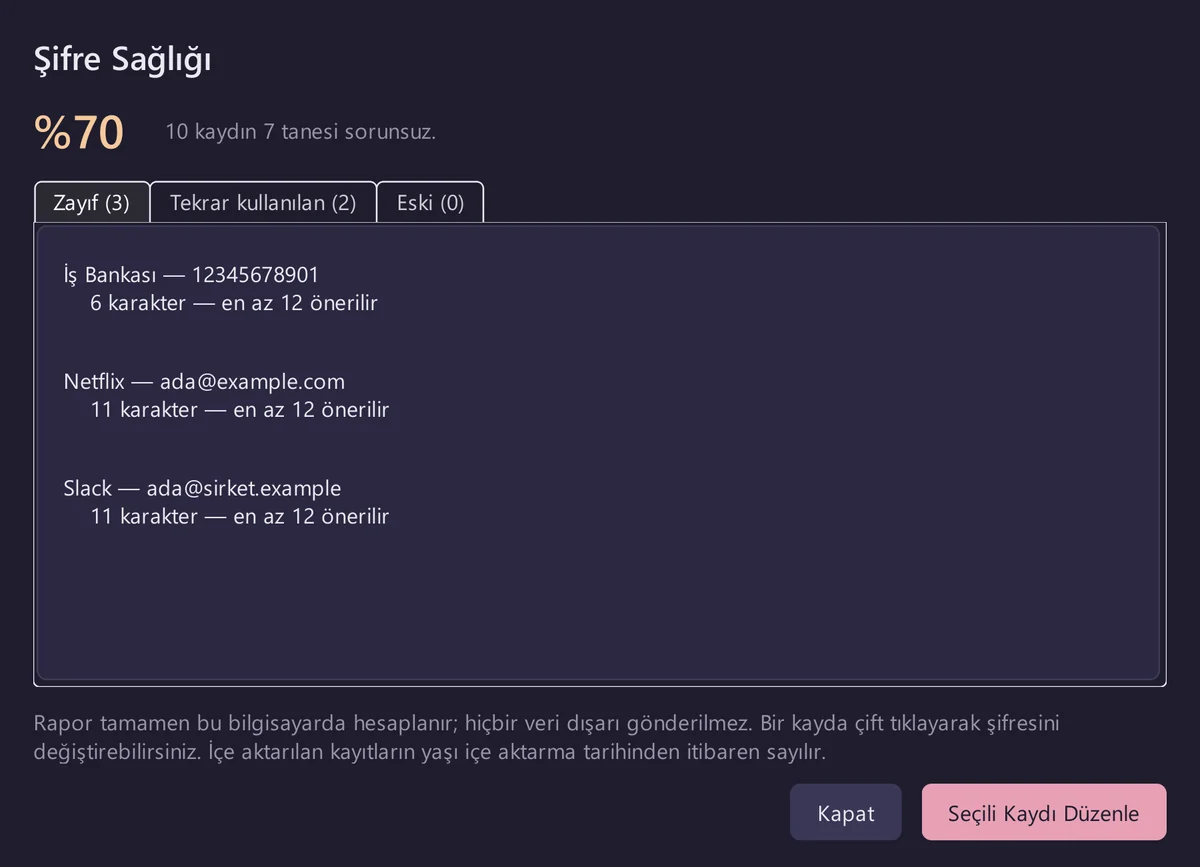
Spot weak passwords
The Password Health report lists passwords that are weak (short or using too few character types), reused across accounts, or unchanged for a year. It's calculated entirely on your computer.
-
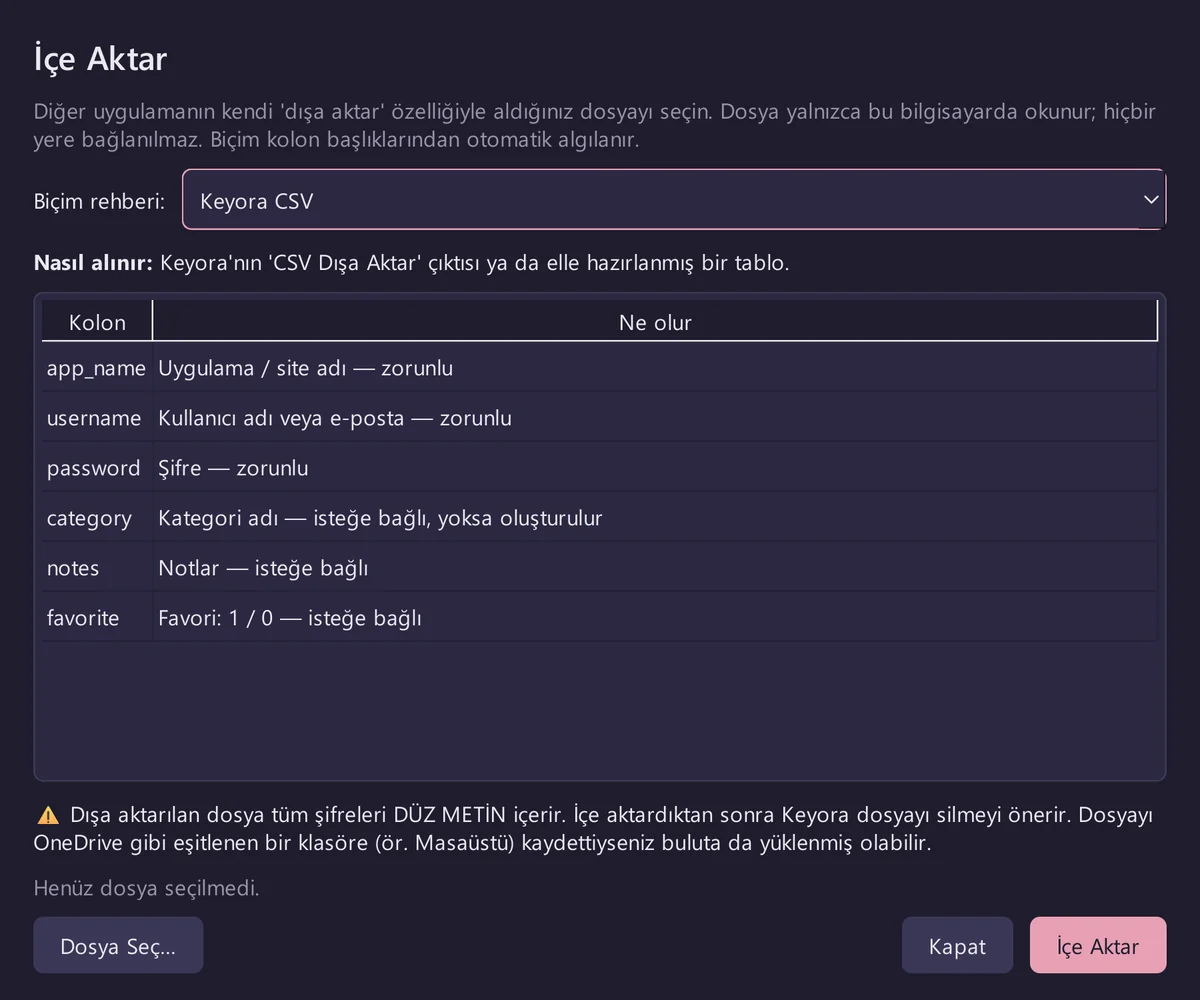
Bring your passwords over
Pick the export file from Chrome, Edge, Brave, Firefox, Bitwarden, KeePassXC, KeePass 2 or LastPass. Keyora shows a preview first, skips duplicates and makes a backup before importing. Two-factor (2FA) codes are deliberately left out.
-
Lock it and walk away
Press Ctrl+L or the Lock button. When Windows locks (Win+L), goes to sleep or a remote desktop session drops, Keyora locks too; it also locks itself when you're idle.
Careful in the places people overlook.
- Invisible when screen sharing
- Screenshot and recording tools can't see the Keyora window. On by default; before Windows 10 2004 the window shows up black.
- Automatic backups
- An encrypted backup once a day when you open the vault, and when you lock or close it after changes. The last 10 are kept by default.
- Password history
- The last 5 passwords of every entry are kept, so you can recover one you changed by mistake.
- Password generator
- Pick the length and character types; passwords come from the operating system's secure random number generator.
- Dark and light themes
- Switch instantly between two pastel themes.
- Shortcuts
- Ctrl+N new entry, Ctrl+G password generator, Ctrl+H Password Health, Ctrl+L lock.
How is your key made?
Keyora doesn't invent its own cryptography; it relies on widely used, well-reviewed libraries. Two separate things are derived from your master password.
- master passwordNever stored anywhere.
- Argon2id, salt 1 → verification hashOnly answers "is the password right?"
- Argon2id, salt 2 → encryption key64 MB memory, 3 passes. Keyora doesn't write the key to disk.
- Fernet → encrypted entriesAES-128-CBC and HMAC-SHA256.
What's encrypted?
Passwords, app names, usernames, notes and category names. The contents can't be read without your master password. Some details, such as the number of entries and dates, are not encrypted in the file.
Brute-force protection
After 3 wrong attempts, the wait grows with each try, up to 5 minutes.
Open source
All of the code is on GitHub. Anyone can read and audit what it does.
By design: if you forget your master password, your vault cannot be opened in any way. There is no recovery email and no back door. Keep your master password somewhere safe.

Take your passwords back.
Free. No sign-up, account or email required. Windows 10 (1809) or 11, 64-bit.
Questions, answered
Where is my data stored?
Your vault lives in %LOCALAPPDATA%\Keyora\keyora.db, inside your Windows user folder. Wherever you install the app, it uses the same file. Your entries are encrypted and can't be read without your master password.
Is there cloud sync or a phone app?
No, on purpose. The point of Keyora is that your passwords never leave your computer. To move to another computer, carry a backup file over yourself: install Keyora there, create a temporary vault, then restore the backup from Ayarlar → Yedekleme → Yedekten Geri Yükle (Settings → Backup → Restore from Backup). The restored vault opens with the master password it had when the backup was made.
Windows warns about an "unknown publisher". Is it safe?
The warning appears because the file isn't signed with a paid code-signing certificate; it says nothing about the app itself. Choose "More info", then "Run anyway" to continue. The full source code is public on GitHub.
Will uninstalling delete my passwords?
No. Uninstalling removes only the program; your vault and backups stay where they are, and reinstalling opens the same vault. To remove everything, delete the %LOCALAPPDATA%\Keyora folder yourself. If you chose a different backup folder in Settings, delete that too.
I use Keyora 1.0.0. How do I upgrade?
Just run the new installer; your vault is found automatically. On first sign-in it's converted to the new format, and a backup is made automatically before the conversion. Afterwards, delete any old 1.0.0 exe copies, since the old version can't read the converted vault correctly. The pre-conversion backup is in the old format, so its app names, usernames, notes and category names are in plain text; once you're happy with the new version, delete it from Ayarlar → Yedekleme → Eski Yedeği Sil (Settings → Backup → Delete Old Backup).
Can I store two-factor (2FA) codes?
No. Keeping passwords and 2FA codes in the same place defeats the purpose of the second factor. That's why 2FA codes are deliberately left out when importing, and Keyora tells you how many were skipped.
Does it cost anything? Any ads or data collection?
Keyora is free and open source under the MIT license. It has no ads, collects no data and never goes online. This page has no ads or visitor-tracking scripts either.